Overview and Goals
A door can close without latching. It can latch without being locked. How do you explain the difference to a colleague?
Your task: Explain what door hardware does and ask clear questions about a proposed hardware set.
Say your answers or write them down. Open each answer key when you are ready to check.
1. What does the hardware do?
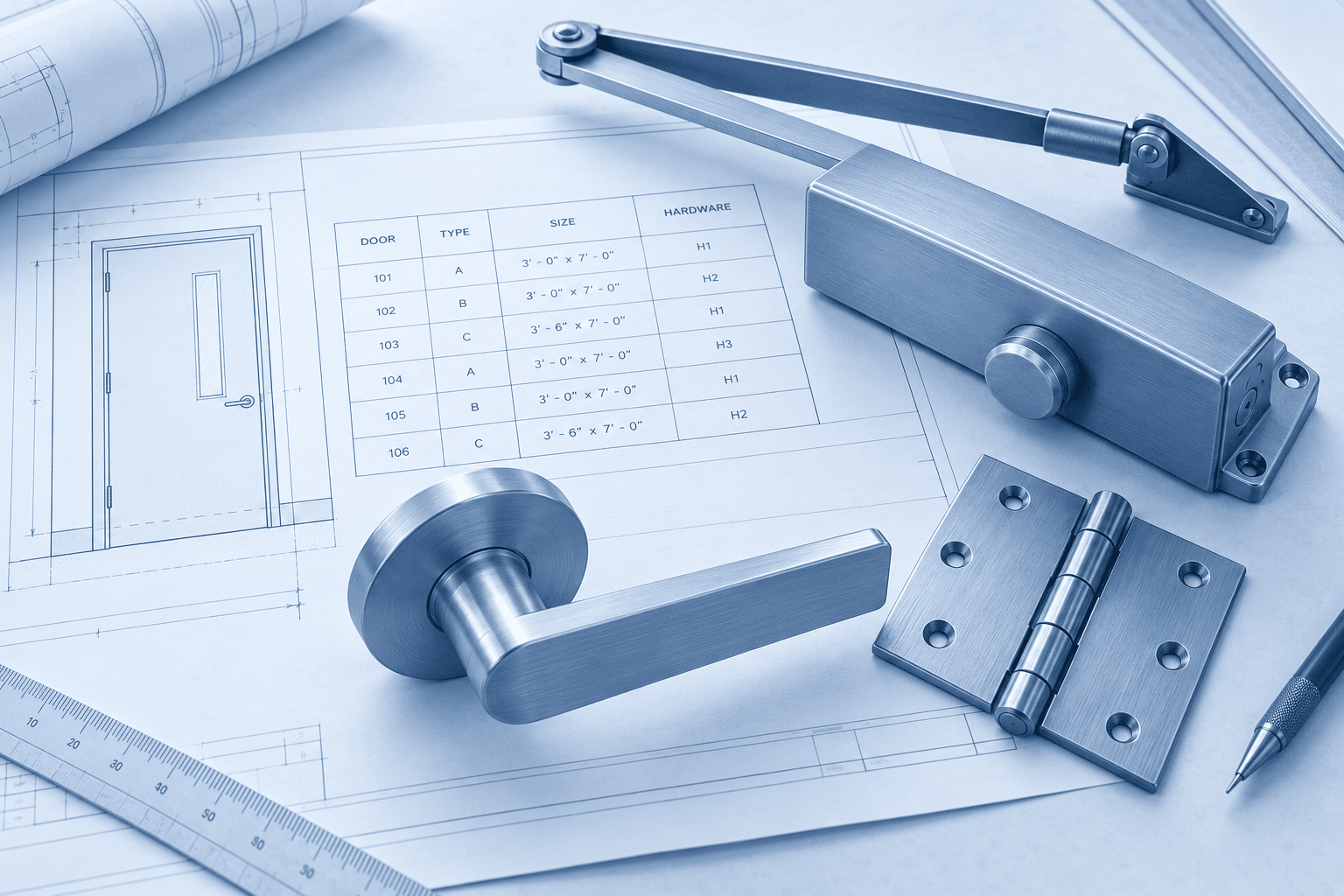
Door hardware includes the fittings and devices used to operate a door. A hardware set is the group of items specified for a particular door or group of doors.
- Hinge: connects the leaf to the frame and allows it to swing.
- Lockset: contains the mechanism used to latch and, depending on its function, lock the door.
- Panic hardware: releases the latch when someone pushes the bar, allowing the door to open.
- Door closer: brings the door back to the closed position and controls its closing movement.
- Automatic door operator: uses power to open the door when activated, for example by a push button.
- Hold-open device: keeps the door open until the device is released.
- Automatic door bottom: lowers a seal when the door closes to help seal the gap underneath.
Choose the hardware
Which item above matches each description?
- It opens the door after someone presses a button.
- It controls the movement as the door closes.
- Its seal lowers to close the gap under the door.
- Its bar is pushed to release the latch.
Check answers — Hardware
- Automatic door operator.
- Door closer.
- Automatic door bottom.
- Panic hardware.
2. Put the actions into words
Learn the verbs with the words that commonly follow them.
- operate the door: use the door and its hardware.
- activate the operator: make the powered opening mechanism start.
- control the closing speed: regulate how quickly the door closes.
- hold the door open: keep it in an open position.
- release the latch: disengage it so the door can open.
- latch securely: engage the latch so it holds the door closed.
- lock the door: secure it against opening from one or both sides, depending on the hardware.
- seal the gap: close the space between surfaces with a seal.
- adjust the closer: change its settings.
Complete the descriptions
Use each verb once: activate · control · hold · release · seal
- Push the bar to __________ the latch.
- Use the button to __________ the automatic operator.
- The door bottom helps __________ the gap beneath the leaf.
- Use a closer to __________ the closing speed.
- The device can __________ the door open.
Check answers — Verbs
- release
- activate
- seal
- control
- hold
Notice: We activate a device, but operate a door. An operator is a piece of equipment here, not a person.
3. Read: Closed, latched or locked?
During a site visit, an architect checks a meeting-room door. The closer moves the leaf back into the frame, but the latch does not engage. The door is closed, but it is not latched. The architect asks the hardware consultant to investigate.
Once the latch engages, it holds the leaf closed. This does not necessarily mean the door is locked: a user may still be able to open it by operating the lever. Locking controls access, depending on the lockset’s function.
Sealing is a separate job. An automatic door bottom lowers its seal as the door closes. It helps close the gap beneath the leaf; it does not lock the door or pull it shut.
Four different actions: Close the door. Engage the latch. Lock the door. Seal the gap.
True or false?
- A closed door is always latched.
- A latched door can still be unlocked.
- An automatic door bottom pulls the leaf closed.
Check answers — Reading
- False. The leaf can reach the closed position without the latch engaging.
- True. Latching holds the door closed; locking controls access.
- False. It seals the gap beneath the leaf.
4. Discuss a hardware proposal
A hardware submittal contains proposed hardware information for review. The architect checks whether the proposal matches the project’s requirements.
Three useful terms:
- Opening force: the force needed to open a door.
- Hold-open function: a feature that keeps a door open.
- Door handing: the designation for a door’s orientation and swing.
Leah, an architect, and Omar, a hardware consultant, review the hardware for meeting-room door D12.
Leah: D12 needs to close automatically after use. Does the proposed hardware set include a closer?
Omar: Yes. The closer has an adjustable closing speed.
Leah: Good. We also need to seal the gap beneath the door, but I can’t see a door bottom in the submittal. Is that intentional?
Omar: No, it’s missing. I can add an automatic door bottom and check its compatibility with the door.
Leah: Thanks. Please coordinate the hardware set with the revised door schedule.
Omar: Understood. Does this door also need a hold-open function?
Leah: No. For this room, we want the door to return to the closed position after use.
Useful expressions
State a requirement: “This door needs to…”
Check the proposal: “Does the proposed hardware set include…?”
Check an omission: “I can’t see… Is that intentional?”
Check compatibility: “Is this device compatible with…?”
Coordinate information: “Please coordinate… with…”
Check the conversation
- Which item is missing from the submittal?
- Does Leah request a hold-open function?
- Which document does Omar need to coordinate the hardware set with?
Check answers — Conversation
- An automatic door bottom.
- No. She wants this door to close after use.
- The revised door schedule.
5. Make the message clear
Choose the phrase that matches the meaning in brackets.
- “The door closes, but it doesn’t latch / seal.” (The latch does not engage.)
- “Please confirm that the operator is compatible with / missing from this door.” (Check that they work together.)
- “Please coordinate / activate the hardware set with the revised schedule.” (Make the information consistent.)
- “Can we adjust the closer / lock the door to slow the closing movement?” (Change the settings.)
Check answers — Clear messages
- latch
- compatible with
- coordinate
- adjust the closer
Your turn: Write a short review comment
Door D18 — project requirements
- The door needs to close automatically.
- The gap beneath the leaf needs a seal.
Proposed hardware: hinges, lockset and closer. No door bottom is listed.
Write three or four sentences to the hardware consultant:
- Explain what the closer does.
- Identify the missing item and ask for clarification.
- Ask the consultant to coordinate the hardware set with the door schedule.
See a sample response
The closer brings the door back to the closed position and controls its closing speed. I can’t see an automatic door bottom in the proposed hardware set. Is that intentional? Please coordinate the hardware set with the door schedule, which requires a seal beneath the leaf.
Your wording may be different. Check that you explained the function, identified the omission and made a clear request.
Speaking option: Read your comment to a partner. Your partner is the consultant and responds to your question.
Technical sources and further reading
This language lesson uses simplified descriptions of hardware functions. Product operation varies; check the proposed product information for project-specific details.
- Archtoolbox: Door Hardware Lock Functions — more detailed lock terminology.
- Allegion: LCN Door Closers — closing movement and closer features.
- Pemko: Automatic Door Bottom — drop-down sealing action.
- Allegion: Hardware Consulting FAQs — hardware sets and submittal review.
The dialogue, scenarios and activities are original teaching examples.